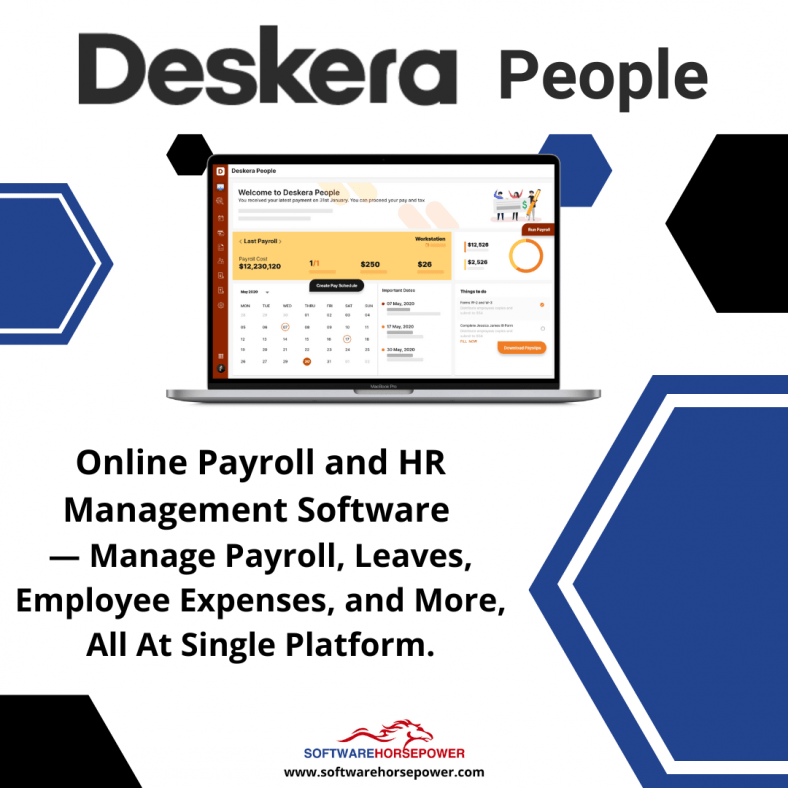
Generate payroll and payslips in minutes with Deskera People. Employees can view their payslips, apply for time off, and file their claims and expenses online. Run unlimited payroll. Only pay for power users.
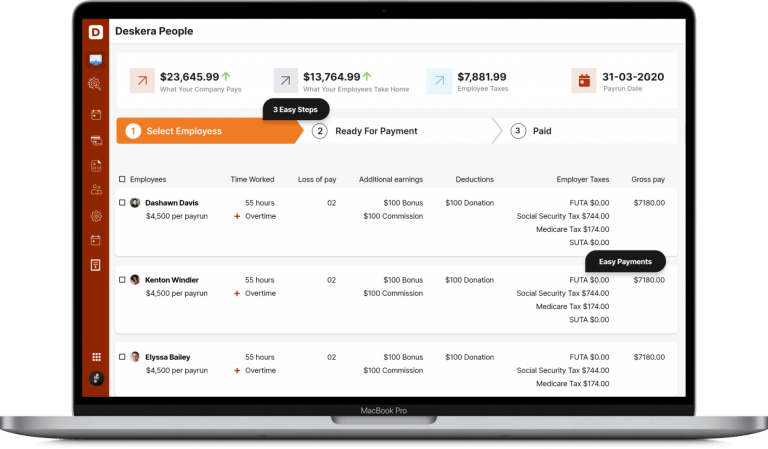
Process your payroll in 3 steps with Deskera People
Managing Payroll shouldn’t be a task that causes fear. It can be complex to manage all the variables, that’s why we designed Deskera Payroll to be an easy 3 step process: Add employees, select the amount, and pay them.
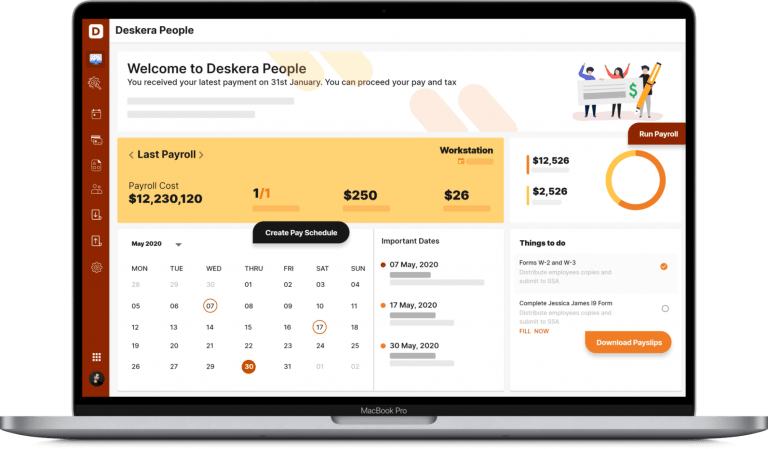
Work with flexible pay schedules so you can cover all your employees
Pay different groups of employees on different pay schedules, such as weekly, semi-monthly, monthly, and more, by selecting the schedule when running the payroll.
Deskera People will bring all the employees belonging to that schedule into the pay run, making processing the pay run a breeze.
Deskera People also process your employee’s salary on the last day of the week, month, or by choosing your very own custom pay date for the pay schedule, allowing you the flexibility for handling all industry-specific pay frequencies.
Design paystub/pay slip/salary slip
You can build your very own pay stub with our extraordinarily intuitive and flexible pay stub designer. Deskera Peopleprovide you the tools and the sample templates necessary for you to develop the pay stub sent to your employees.
Get better insights
Obtain detailed insights into your payroll processes in no time. We offer a medley of payroll reports that can be used to review employee information, payroll tax obligations, and much more.
Salary to employee's bank account
You focus on quotations, invoices, receipts, payments and selling your products while Deskera takes care of all the accounting needed for compliance and reporting.
Migrate your data
Transfer all your existing data seamlessly into Deskera People with little to no effort.
You can import all your employees from the uncomplicated templates we have crafted to make the hassle of adding the minute details a little bit faster and simpler.
Manage different roles with ease
Strict role-based access management gives you complete control over who can see what in the payroll system. Ensure data integrity by granting users role-based access to the specific modules they need. Each role is also privy to their particular Dashboard handing them vital information in one place.
Self-service portal
Ensure a harmonious collaboration between employees and the payroll team with a secure employee self-service portal.
Invite employees to their workspace to fill in their personal details, reducing the admin's burden to add everything about the employee meticulously.
Create off-cycle pay
An Ad-Hoc Pay run will help you process the payments for a terminated employee, rectify or make adjustments to the pay run processed before, and additional payments such as bonuses and commissions.
Default leave policy
Preset with mandatory employment leave types for Singapore, leave the hassle of setting up to Deskera People. We handle all of the Ministry of Manpower's statutory leave requisites (childcare leave, annual leave, maternity leave, etc.).
Simplified approval workflow
Need to keep the right people informed? No problem. You don't need to worry about whether a manager receives an employee's request. With automated notifications in Deskera People, no request goes unanswered or unseen.
Efficient user management with teams
With the creation of teams, you can map a group of employees with a manager. While setting up an approval might be difficult and complex here, it is as simple as setting up the manager for the team created, and you are good to go.
Create custom calendars
You can quickly create your very own custom calendar with the holidays assigned based on the geographical region and the company's requirements. It only requires a couple of clicks to add your holidays, and once you save, it will reflect on the Dashboard and the company calendar.
Snap and upload your expense
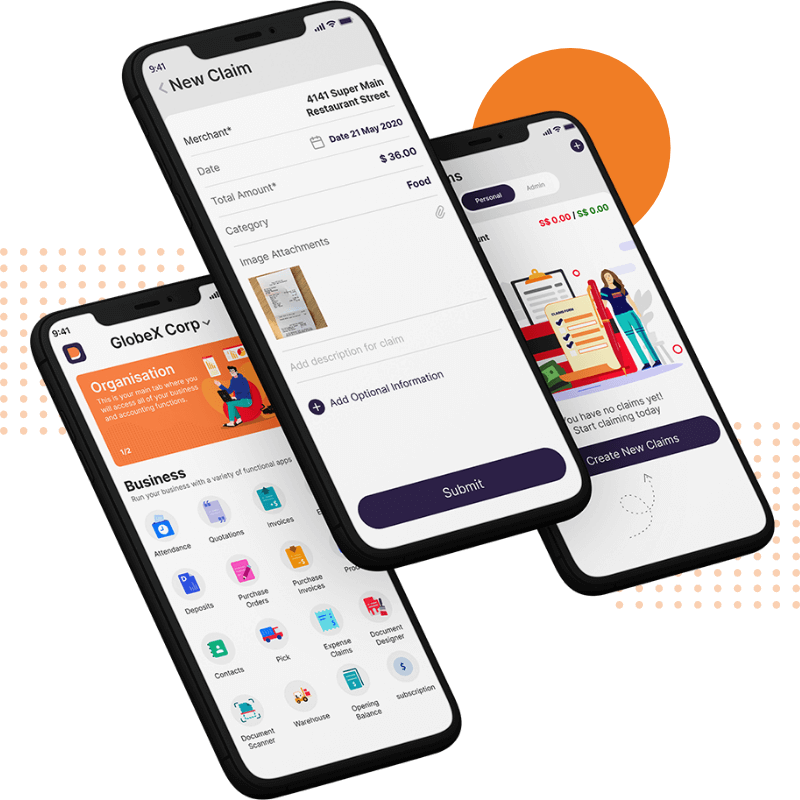
Are you tired of manually inputting all your claims data?. Well, no more, with just one Snap of the receipt, the details such as vendor, date, and price are automatically coded and queued into the claims request.
Quicken the claims request process
Managing expenses and claims has never been faster.
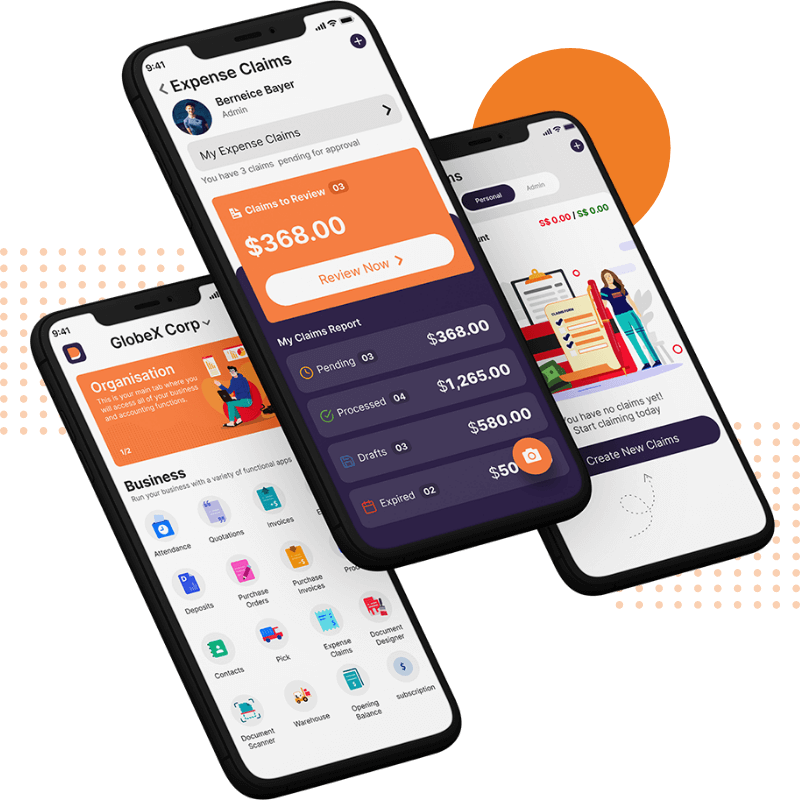
Record your expense from anywhere, anytime, and on multiple devices with Deskera People and upload the image to avoid filling the data.
Submit the claim from any of the multiple devices you have access to at that moment. Managers will never miss an expense request with notifications and a dashboard that shows a claim’s status.
Quicken the claims request process
Managing expenses and claims has never been faster.
Record your expense from anywhere, anytime, and on multiple devices with Deskera People and upload the image to avoid filling the data.
Submit the claim from any of the multiple devices you have access to at that moment. Managers will never miss an expense request with notifications and a dashboard that shows a claim’s status.
Online accounting software for your business
Easy-to-use accounting software for small business owners, bookkeepers and accountants.
Take full control of your chart of accounts
Chart of Accounts is the list of financial accounts used in the general ledger of an organization. The primary account types usually include Assets, Liabilities, Equity, Revenue, and Expense.
Choose from the list of default Chart of Accounts made available in Deskera Books accounting software. You can also create and customize new accounts that suit your business needs.
Simple Double-entry accounting
Track every business transaction across your organization. The double-entry record makes it easy and reliable.
Give your accountant full access to Deskera Books to ensure all the data are reflected in real-time.
Journal entry automation
Manual journal entry is time-consuming and tedious in any accounting software. With Deskera Books, you can automate your journal entry posting with just a few clicks.
Any and all business transactions will automatically populate the journal entry record in the system. You can even create recurring journal entries to save more time.
Powerful multi-currency accounting
With over 100 currencies supported, you can seamlessly carry out foreign currency transactions. Plus, it’s easy to add foreign currency bank accounts and reconcile them with Deskera Books.
Move funds between accounts — with instant reporting
No more delayed transaction reporting. Whenever you transfer funds from one account to another, you can easily create a fund transfer accounting entry on Deskera Books.
Simple import for your existing data
Transfer your existing contacts, products, inventory and opening balances. Just use the sample excel templates, populate them with your data, and upload.
If you have an existing Xero or Quickbooks account, you just need to connect them to Deskera Books. All the necessary data will be imported automatically.
Adjust your bill payment records
The expensive machine you recently purchased doesn’t work. The service provider overcharged you. It is important to record these transactions and the aftermath accurately.
How do you record this in the accounting software so your financials aren’t impacted? Deskera Books makes it easy with Debit Notes. All settled.
Issue a credit note easily
Want to offer discounts, rewards, or refunds? Use Credit Notes in Deskera Books to record and track these adjustments. Issue a Credit Note against the customer invoice to keep everything simple and clear.
How do you record this in the accounting software so your financials aren’t impacted? Deskera Books makes it easy with Debit Notes. All settled.
Track your deposits and expenses
Deskera makes it easy to record different types of expenses and deposits — and generate accurate financial reports. You can:
Record direct expenses and deposits
Record advance payments to your suppliers and adjust them against future bills
Record advance deposits from your customers and adjust against future invoices
Fast and simple bank reconciliation
Deskera Books connects with 5,000 banks for simple transaction recording. Just add your bank account details and all bank transactions will show up automatically.
Our intelligent reconciliation engine matches bank transactions to financial entries, — often reducing the time it takes to complete bank reconciliation by over 50%.
Manage Your Back Orders
Allow your customers to purchase items when you don’t have inventory on hand. Never miss an opportunity for a sale.
What is Backorders
When you receive an order from your customer, and you do not have enough stock to fulfill it. The system alerts you. You can then create an order for the shortfall (This is called a Backorder). When the goods are received, the system will alert you that now you can fulfill the customer’s original order.
No More Delayed Shipments
What does a customer want? He wants his goods to be delivered in full and on time (DIFOT). So what happens when you have a backorder? The system will alert you that you do not have enough stock and will ask you if you want to place a backorder. By knowing if you have enough quantity for the order, you can help maintain and guide the customer’s expectations for DIFOT.
Auto Creation of Your Backorder
You no longer need to worry if you have the right product or quantity when creating the purchase order (backorder). The system will auto-populate based on the remaining shortfall quantity and the correct product for the creation of the purchase order.
See Your Backorders at a Glance
There is a package icon shown next to the fulfillment column in the Sell records screen, allowing you to differentiate which Invoice or Quotation is a backorder at a glance. Saving you time and effort when you try to locate your backorder or wish to see how many you have.
Email Backorder Invoices or Quotes to Customers
After creating your quotation or invoice, you can send it immediately to your customer via email saving you time and effort. You do not have to download the template and or make sure you send it to the right customer. The system knows through contacts the customer email and, when selecting the quotation or invoice, the template is attached to the email.
Get Alerted When It Is Time to Deliver
You will get an email as soon as the purchase orders shortfall quantity has been received in the system. You can now deliver the product to the customer. By knowing when you receive the shortfall quantity will increase the likelihood of delivery in full and on time.
Deskera People is a cloud-based HRMS (Human Resource Management System) that offers comprehensive HR solutions for businesses. It helps businesses streamline HR processes, manage employee data, automate tasks, and improve workforce efficiency.
Buy Deskera People which provides features such as employee self-service, leave management, attendance tracking, timesheets, performance management, and document management.
Yes, Deskera People offers integrations with popular HR systems, payroll software, and third-party applications. It allows businesses to synchronize employee data, streamline workflows, and enhance collaboration across different HR functions.










There are no reviews yet.